
How Digital Workspaces Will Improve Your Business
By Tim Eisenhauer ·

It’s difficult to think of anything more important for businesses than streamlining the organization.
The issue is well-recognized, and it continues to be a common problem across all industries. While there are many factors that can get in the way of good organization, the problem typically becomes worse as a company becomes more and more segmented.
As a business begins to grow, it’s often necessary to create specific teams and departments to keep up with daily demand. A sales force may need to be created, for example, or a marketing team that can get the word out about a business’s products and services. Chances are, these teams are working independently from each other … and in order to stay focused and on-task, each department requires its own set of digital workspaces.
In the case that a business has a physical office space, privacy and segmentation between teams isn’t much of a problem. Today, however, more and more businesses are moving to the digital workplace, employing remote workers from around the globe.
The benefits of this are many, but that doesn’t mean there aren’t issues that get in the way. Perhaps the most commonly-felt problem is the difficulty associated with getting remote employees to collaborate in an effective manner. This is where social intranet software comes into play.
Social intranet software and digital workspaces.
To many people, the concept of social intranet software may be fairly new. Just because the term is unfamiliar doesn’t mean you haven’t seen many of the principles in action. If you’re familiar with today’s popular social media networks, for example, you will instantly take to social intranet software. This is a platform that allows colleagues to handle projects and tasks with each other, even if they’re located on opposite sides of the world.
There are many useful features in an intranet platform like Axero, including private and group communication methods, a robust case/ticketing system, and the ability to create blogs and wikis on the fly. Perhaps the most important feature of Axero is the ability to create digital workspaces. In Axero, we call these “Spaces.”
Spaces are a dynamic, powerful, and altogether simple way for groups, teams, and departments to interact and collaborate. No project is too easy or complex for spaces in Axero, nor is any team too large or small. The digital workspaces are segmented from each other, yet they all live within the social community at large and can be accessed quickly and without issue. Once harnessed, the feature becomes exceptionally useful.
Features inherent in digital workspaces.
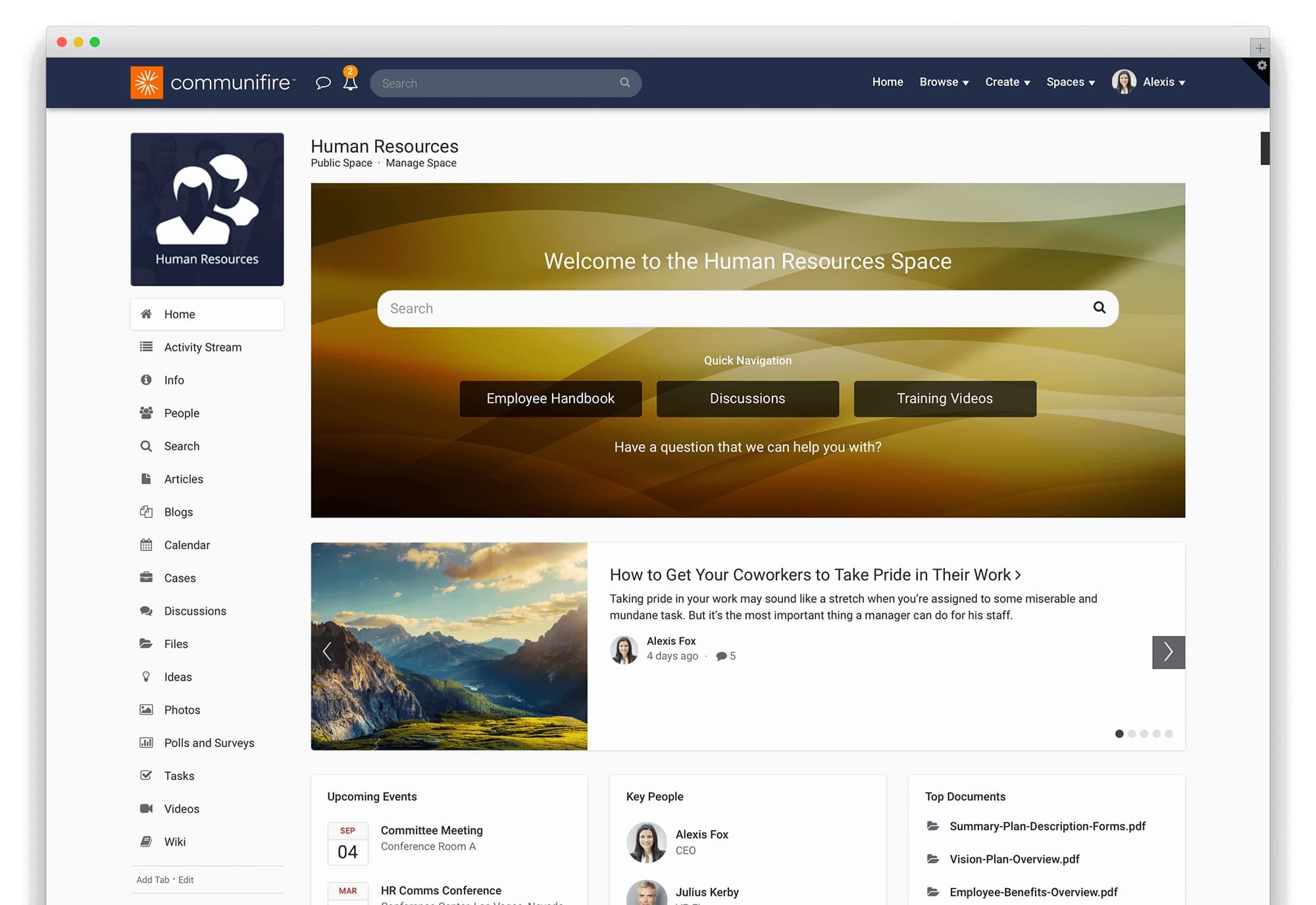
To get the most out of digital workspaces in Axero, it’s helpful to know what your business’s teams or departments can do with them. Understanding “Spaces” is simple enough at face value, but once you start learning what they can do for your company, opportunities for new workflow processes quickly come to light.
Here are a number of features inherent in the digital workspace feature in Axero, all of which will make daily processes and online collaboration easier and more effective.
- File and Document Sharing — No matter what type of projects your team is working on, you’re going to need document management and file sharing abilities. When email is used as the primary vehicle for sharing documents, you’ll end up with a great deal of headaches and confusion … and the more effort that can go into streamlining the process, the better. Axero allows you to quickly upload files and documents to their corresponding digital workspaces, ensuring that things stay organized and easy to access at any time, from anywhere.
- Content Collaboration — Content is everything in today’s web-centric world, which is one of the primary reasons why it’s so important to have an excellent content management system at your fingertips. As collaboration becomes even more important, people all over the world are looking for ways to create great content while bouncing ideas off their colleagues, regardless of their location. Every digital workspace that gets set up in Axero allows teams to collaborate on blogs, wikis and more, making content creation easier than ever.
- Realtime Updates — When there’s a lot going on, staying on top of things can be difficult. This is especially true for those who work as part of multiple teams, in which case separating updates from each other can be confusing. Axero’s digital workpaces are the perfect solution, as they provide segmented updates about what’s going on within your specific team or department, while community updates can be accessed on your home activity feed. Pay attention to the regular updates, and you’ll never be in the dark about recent happenings.
- Public / Private / Hybrid Spaces — Spaces may be specific in nature, but they’re also extremely flexible. You can create public spaces that can be joined at will, which gives everyone in the community the chance to participate in the conversation. At the same time, private spaces can be built, allowing those with administrative privileges to determine who is allowed to join and participate. Hybrid spaces are also a possibility, giving you full control over user roles, permissions, and everything in between.
- Simple Moderation — Every digital workspace needs to have someone in charge to ensure things stay on track, which means moderation is crucial. In Axero, moderating digital workspaces couldn’t be easier. Those in administrative roles have full and completel control over what gets posted, when, and by whom; even down to who can join a space and who cannot. Moderating a digital workspace doesn’t have to be a time-consuming process given the speedy nature of social intranet software, but it stands as a necessity that should never be ignored.
- Sub-Spaces — One of the best ways to utilize digital workspaces in Axero is to isolate projects from each other. As you might expect, certain projects can be so complex that they’ll need several isolated workspaces underneath the overall umbrella. This ensures that no important details go overlooked or end up overlapping with each other. Sub-spaces are absolutely ideal for this purpose and are easily set-up in Axero.
- Cases and Ticketing — The case and ticketing system in Axero can serve many purposes, ranging from handling internal operations to answering questions and concerns from customers. Cases and tickets are ideal for you to stay organized, ensuring that nothing important ever gets overlooked.
Getting the most out of digital workspaces in Axero.
Digital workspaces are powerful when properly approached, but there are many things that you and your staff can do to ensure you’re getting the most out of them. By embracing the following tips and sharing them with every team member, you can expect to see increased productivity and a smaller margin for error.
Access your digital workspaces from any page.
If you’re concerned about accessing a specific digital workspace within Axero, you can rest easy knowing that each space in your community can be accessed from the navigation bar at the top of your screen.
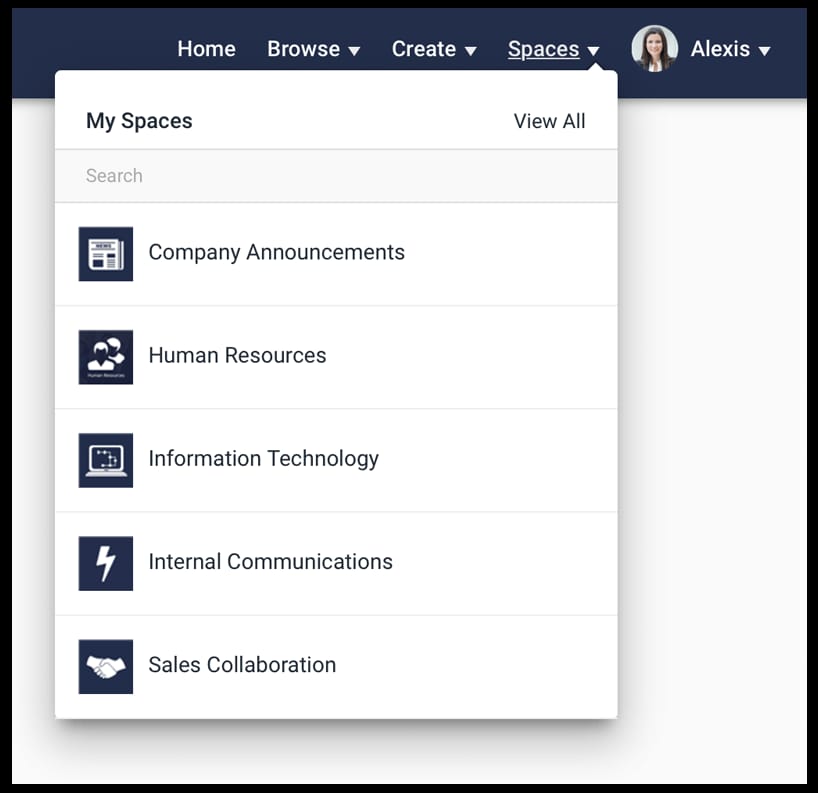
The “Spaces” tab never goes away, and clicking on it provides you with a drop-down menu listing each and every digital workspace in your community. It’s not always possible to avoid confusion when you’re deep in a project, but you can always rely on the navigation bar to get you back to where you need to be.
Utilize the management dashboard.
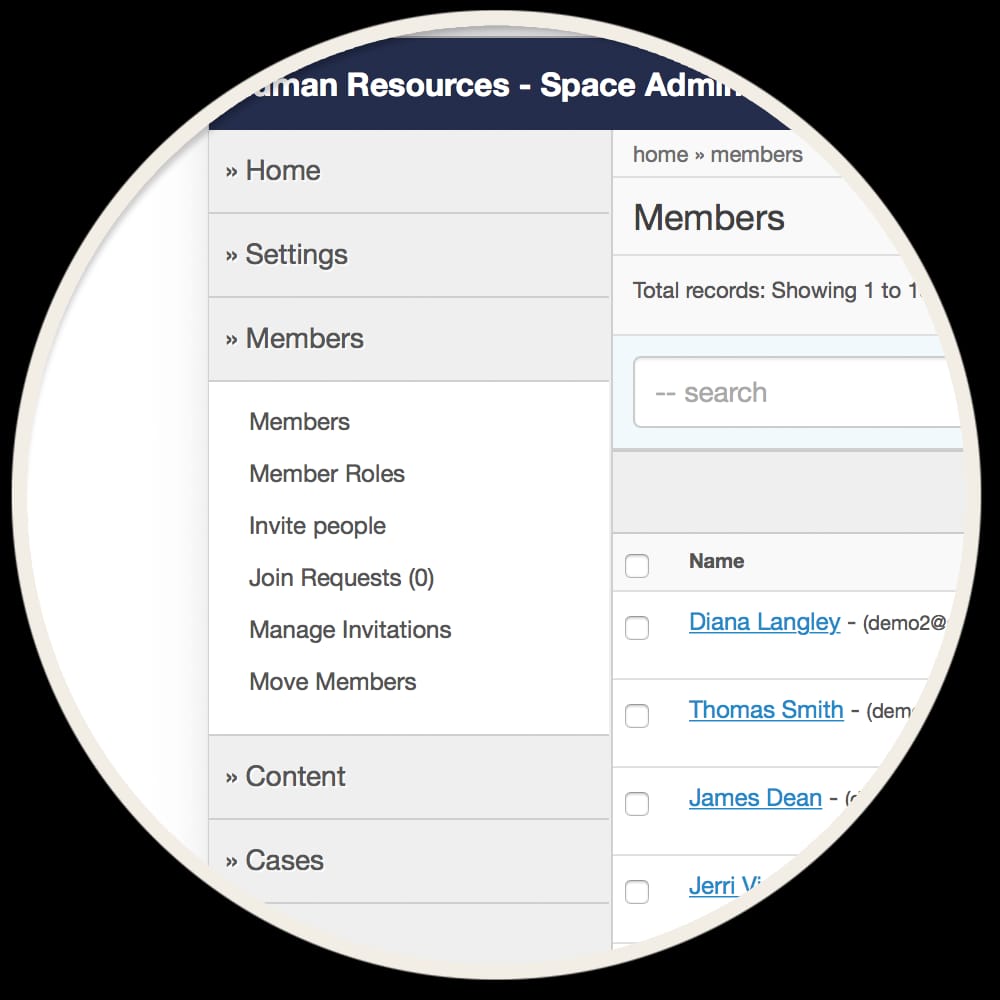
Managing a community can be a full-time job, and the more you can do to make your life easier in the process, the better. Axero makes managing your digital workspaces a simple process, and you can access just about every feature through the management dashboard. Managing members, moderating content, and updating settings can all be done on the fly, which means you don’t need to log into a separate part of the community to make a quick adjustment when you’re in the middle of a project.
Invite members to your digital workspace.
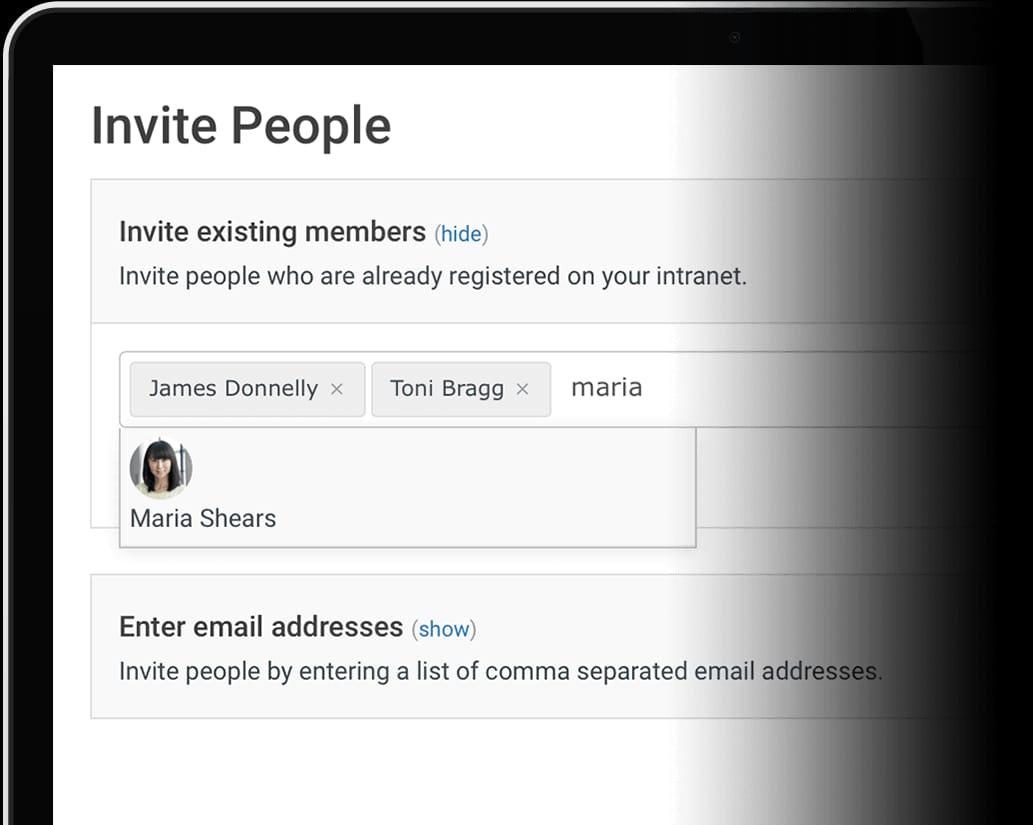
Building-out a community of digital workspaces doesn’t take a great deal of effort, but you’ve got to take a few steps to end up on the right track. The first, and perhaps most important thing to do after creating a space, is invite people to join your spaces. This way, you can bring employees in to work on projects, set user permissions and define roles to ensure that you and your team are getting the most out of every digital workspace in the community. Creating spaces takes only seconds, and inviting users to join is just as easy.
Experiment with the many uses of digital workspaces.
Once you start using digital workspaces in Axero, you’ll quickly realize that there are many, many ways to use them. Spaces can be used as company intranets, departmental segments, customer support zones, marketing communities, and whatever other purpose you’re able to brainstorm. Get familiar with Spaces, and the possibilities quickly become clear.
Train your staff.
As easy as it is to navigate from space to space in Axero and post valuable content, you’ll get a lot out of training your staff before simply jumping in. If your employees have a solid understanding of Axero and how spaces keep things well-organized, they’ll be far more likely to benefit from enhanced productivity. Employee training doesn’t have to be time-consuming, and you can even handle trainings remotely if you’re working with people who aren’t able to make it into the office.
In conclusion.
Digital workspaces are no doubt the most versatile feature of Axero, and the possibilities of using them are endless. Take the time to get comfortable with the interface, and you and your team will surely end up that much closer to achieving your goals.